
If ROB RUN stays on the loading screen, check your connection, restart both the game and Steam, update the graphics driver, and verify your installed files in Steam. If the screen shows an error code, write down the full code and follow the matching check below. Also note whether the game stalls at startup or only when you try to enter Looty Bay.
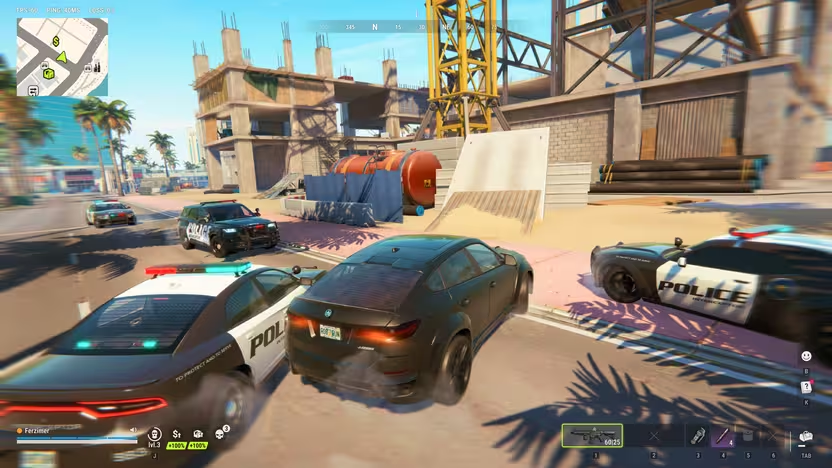
Stuck on Waiting for Status Information after choosing a destination? Start with the checks for that screen.
Connecting to Region, Failed to enter location, or Waiting for Server Response?
If Connecting to Region stops you before the menu opens, check Kefir’s notice for the region first. On November 14, Kefir reported EU login instability and said the US servers were unaffected at that point. If there is no matching incident, check your connection, restart the game and Steam, and verify the files once. Keep the exact message and time if it returns.
If Failed to enter location appears only when you select your home settlement, check whether the property is still listed and whether another destination in the same State opens. Players reported this exact combination, so a failed entry alone does not establish that you lost your plot. For Waiting for Server Response after RUN, compare one solo attempt in the same State with the party attempt if you can still access the map. If you are sent back to Reconnect while marked In session, report that separately with the State ID and a screenshot. Related guide · Kefir · 14 Nov · r/robrun · r/robrun · Kefir · Error codes
If Looty Bay still fails when you play solo and the world map is usable, try one other destination, such as Lenny’s Motel, without switching States. Note whether only the city failed or whether both destinations failed. This comparison helps describe the scope of the problem for server troubleshooting; a player reported the reverse case, where their settlement failed and other destinations opened. Player report
If your character is already inside a building and can open the menu, try Settings → Other → Respawn at Home. A Steam player confirmed this got them out after reconnecting put them back in the same spot. Read the confirmation first because a player reported gear loss, and see the housing guide’s recovery steps. Steam discussion
Use the message on the screen to choose your first check
If Compiling Shaders stalls before you can open the menu, start with Kefir’s general loading checks below. Verify the installed files through Steam and record the full message if the stall returns. If you do see a code, follow the official checks for that code.
If Waiting for server response appears immediately after you press RUN, capture the message and the time it started, especially if you had just disconnected or the server had restarted. Players have reported this exact screen even after verifying files or reinstalling, so check the server status guide and send the screenshot to Kefir if the wait persists. If you can reach the world map and only a party attempt to enter Looty Bay stalls, compare one solo attempt in the same State and note which party sizes are affected. The friends guide covers the separate check that all members are on the world map before entering together. r/robrun · Steam Community
If ROB RUN stops at Getting Region Data, check whether websites load on the same connection and compare the time with Kefir’s server notices. A Steam player reported this screen, but the message alone does not establish a server outage. If you also see E-0101 or E-0110, follow Kefir’s startup-data checks. If it keeps happening, save a screenshot and note when the screen appears so you can report the exact symptom. See the server status guide. Steam Community · Player report · Kefir Help Center
If loading sends you back to Reconnect while your status still shows In session, save the exact message before retrying. A Steam thread records the session status and a separate report of a reconnect prompt around halfway through loading. If the game shows E-0201, Kefir recommends checking your connection and restarting the game. If the loop persists, note the time and any visible region or State ID when you report it. See the server status guide. Steam Community · Reconnect reports · Kefir Help Center
Start with the official loading and freezing checks
ROB RUN's general guidance for a game that will not load or keeps freezing begins with your internet connection and a restart of both the game and Steam. It also recommends updating your graphics driver and checking the installation through Steam. To run that file check, open the game's Properties, select Installed Files, and choose Verify integrity of game files; this same procedure appears in several of the error-specific solutions.
Read any error window for the complete code, including its final digits, and keep the message text if you need to report it. Check whether the problem occurs before the game finishes starting, after a session has already begun, or alongside a crash. These details help you use the relevant instructions: the help center has separate guidance for downloading startup data, losing a connection during play, and reporting persistent crashes.
Waiting for Status Information
If Waiting for Status Information sends you back to the map, check the server status and maintenance notices for your region and the time it happened. If there’s no matching notice, fully quit ROB RUN, restart Steam and try the same destination once. Players on Steam and Reddit reported getting in after a restart, though some said the issue returned. If the wait repeats, try a second destination in the same State and note whether one or both fail before contacting Kefir. Steam Community · Reddit
If Waiting for Status Information appears after you select Enter on your home settlement, check whether you can get back to the map. If you can, compare with another destination in the same State, such as Lenny’s Motel. If only your settlement fails, record the settlement name, State ID, approximate time and exact message, then attach a screenshot or video to your report to Kefir. Keep the test in your current State so you can compare destinations without surrendering your progress. See the server status guide. Steam Community · Settlement loading reports · Kefir · Troubleshooting and Support
If there is an error code, follow the matching entry in Kefir’s error list. E-0101 and E-0110 concern startup data and call for checking your connection. Kefir’s 10–15 minute wait applies to E-0303 and E-0304, which concern downloaded data or a version mismatch. Kefir
Use the Early Access and Playtest timeline if you are comparing advice recorded in different builds. (Kefir Help Center · related Kefir article)
Check network errors E-0101, E-0110, and E-0102
E-0101 and E-0110 mean the game cannot reach the server to download configuration or startup data. For either code, the official solution begins with checking your internet connection. Confirm that websites load correctly as part of that connection check.
E-0102 means downloaded data contains errors or was blocked before reaching your PC, with guest networks and antivirus or firewall interference listed as common conditions. The official options are to switch to a home network without an authorization page, disable a proxy, or temporarily pause HTTPS scanning in your antivirus settings. The guest-network examples include hotels, cafes, and public Wi-Fi; the HTTPS-scanning instruction is a temporary change specifically listed for E-0102.
Match asset and version errors to their fixes
E-0124 identifies an internal problem in the game's asset-loading system. Its official remedy is to verify the game files through the game's Properties in Steam. In the Properties window, select Installed Files and choose Verify integrity of game files.
E-0301 and E-0302 indicate that your game version is outdated. The official update sequence starts with closing the game and restarting Steam. Update ROB RUN after restarting Steam to complete the steps listed for these version errors.
E-0303 and E-0304 mean downloaded game data is corrupted or does not match the current version. For these codes, the official instructions are to wait 10–15 minutes, disable a proxy, verify the files through Steam Properties, and update the game. That waiting period applies to these two errors; it is not an official maximum loading time or a rule that every stalled startup needs the same delay.
Resolve Steam authentication and launch errors
E-0401 means Steam account authentication failed, and its checks concern your Steam session. Make sure Steam is running in online mode and that you are signed into the correct account. Once you have checked the online mode and account, restart Steam and the game as directed by the help center.
E-0405 means Steam is not responding or antivirus software has blocked a game system library. The official response is to check the antivirus quarantine, launch Steam, and verify the game files. Launch ROB RUN directly from your Steam library afterward, as specified in the instructions for this error.
Handle Epic Online Services and Easy Anti-Cheat errors
E-0403 and E-0404 are authorization problems involving Epic Online Services. The help center directs you to verify files through Steam, add the game to your antivirus exceptions, and restart your PC. Although the error names Epic Online Services, the documented file check still uses Steam; it does not instruct you to switch to the Epic launcher.
ROB RUN uses Easy Anti-Cheat, and E-0501 or E-0502 means it is not running, is corrupted, or is blocked by third-party software. The official troubleshooting steps include launching the game exclusively through Steam and verifying file integrity through Steam Properties. Restarting your PC is also included in the official instructions for these Easy Anti-Cheat errors.
A Steam player saw E-0503 SecurityViolationError while entering Looty Bay after an update. Kefir asks for a screenshot and your UID when reporting an anti-cheat error. Include the time, destination and full message, and use the E-0503 checks in the crash guide if it recurs. Player’s error report · Kefir
Compare your PC with the published requirements
Both the minimum and recommended configurations require a 64-bit version of Windows 10 or newer, DirectX 11, and an internet connection. The published storage requirement is 20 GB of available space for either configuration. These shared requirements describe the operating environment for ROB RUN, while the processor, memory, and graphics specifications below differ between the minimum and recommended configurations.
The minimum configuration lists an Intel i5-6600K or Ryzen 5 1600 processor. It requires 12 GB of RAM. The listed minimum graphics options are a GTX 1050 Ti, RX 580, or Arc A380.
The recommended configuration lists an Intel i5-9600K or Ryzen 5 3600 and 16 GB of RAM. Its graphics options are an RTX 2070, RX 5700 XT, or Arc B570. Keep the minimum and recommended lists distinct: the recommended hardware is not the minimum requirement, and meeting either published configuration does not by itself identify or resolve the cause of a particular loading failure.
To check whether your PC meets the ROB RUN requirements, search for dxdiag in Windows. On the System tab, note the processor, RAM and DirectX version, then open Display to identify the graphics adapter. Compare the hardware with Kefir’s list above and check for 20 GB of free storage. If the game launches but the frame rate drops, use the FPS and stutter guide to test the scene where it happens. Kefir · Microsoft · DxDiag
Separate startup failures from disconnects and crashes
E-0201 is the code Kefir documents for a session that lost its connection after the game was already running and could not recover. Check the connection and restart the game for that code. The public table gives no equivalent definition for E-0202 or E-0203; if you see either, record the full message and the point where loading stopped. Kefir’s error table
When the loading problem is accompanied by a crash, the official crash guidance recommends closing unused applications and restarting your PC. If crashes continue, send support your PC specifications, a description of the crash, and the error-message text. These instructions retain their crash condition: they do not establish that background applications cause every loading stall or that restarting the PC guarantees a fix.
Report a persistent error with its exact message
E-0904 is an unexpected internal in-game error, for which the official first step is restarting the game. If it persists, copy the text from the error window and send it to support; the official help center provides an email support entry. ROB RUN also has Steam discussion boards explicitly offered for bug reports and feedback, giving you a documented place to report a continuing problem without guessing its technical cause.