
For an occupied NPC house in ROB RUN, the walkthrough shows how to deal with the alarm, keep occupants at gunpoint, and leave with the valuables. For another player’s base, Kefir says to use a Decoder on its Security System for temporary entry. The owner can repair the system and lock you out again.
Where do I get Electronic Fuses?
Check the Construction offers at the Trade Laptop and the free season rewards for Uncommon and Epic Electronic Fuses. For a Legendary fuse, the documented Suspicious Door trade at Lenny’s Motel asks for an Epic fuse plus 250,000 cash. Check the current offer before spending the money or handing over a fuse. Related guide · Source 1 · Source 2 · Source 3
How to defend your own base
Install fuses in the Security System to make raiders spend more time and resources, and use defense modules to alert allies. The November 6 client reference adds the installed fuse values to the building's base defense. Check your building's slots and current fuse tier before deciding what to install. These measures buy time during a raid, so plan what to do when an alert arrives. Kefir Help Center · Wikily
Repair the affected building’s Security System to restore protection and lock out the intruder. The November 6 client reference says breaching leaves installed fuses intact. A Decoder breach can also trigger a temporary raid block that limits some base actions. Start by checking which building was breached. See the house and base setup guide. Kefir · Kefir · Wikily
After a raid, inspect the panel on each affected building and use its repair prompt if available. Installed fuses survive the breach, so intact fuses alone cannot tell you whether someone got in. If Raid Block is still active, the raid reference lists temporary restrictions on editing or moving the base and on using its Black Market or Shipments. Wait for the block to clear before trying to move to another plot. Client raid mechanics · Raid Block reference
Check the Alarm System description to see who will receive the alert when breaching begins. The November 6 client reference lists one variant for the owner, one for the owner and their clan, and one that alerts everyone at the location. Check the installed module before asking clan members to rely on the alert. See the clan guide. Kefir · Wikily · robrungame.com
To alert your clan when a breach starts, look for the Alarm System whose description names both the owner and their clan. Install it in a building’s Security System slot. The November 11 client catalog calls it Plot Alarm (Clan). For the Black Market route, research the personal Alarm System first, then research the clan version at Tier 2 for 50,000 cash and buy it from the Trade Laptop for 200,000 before discounts. The city electronics seller is listed separately at 600,000 before discounts. Check your settlement tier in the plot rental guide. Wikily · Client catalog · robrungame.com · Rob Run Stash
Yes. Players have reported finding their bases looted after logging back in. Kefir recommends fitting fuses in your Security System and using defense modules that can alert allies. Before logging off, finish laundering any cash you want to protect from theft. See the bank account guide. r/robrun · Offline raid report · Kefir · Base defense · Kefir Help Center
Scout the house before putting on a mask
Start by looking over the building and planning your getaway route before masking up, as the official heist instructions recommend. For the house robbery described in the walkthrough, this includes finding the alarm at the side of the building before beginning to steal. Bring an empty bag so that existing items do not take up space you could use for the valuables you find.
Putting on a mask enables robberies in Looty Bay, but it also exposes you to attacks from Police and other Criminals. If you die, everything in your bag is lost, making the journey out part of the robbery rather than an afterthought. With teammates, divide responsibilities between breaking in, carrying loot and providing cover, following the official recommendation for a coordinated heist.
Disable the alarm and keep occupants at gunpoint
Disable the house alarm before taking anything, because the house walkthrough reports that stealing while it remains active immediately alerts police. The walkthrough locates its example alarm at the side of the house, and the creator tutorial also begins by switching the alarm off. Use that as your preparation sequence: locate the alarm, disable it and then begin the theft.
A documented entry method is to smash through the glass doors and head inside, where the walkthrough encounters NPCs. Treat that as an entry option for the house shown, rather than assuming every house has an identical entrance. Once inside, aim your weapon at the occupants instead of shooting them, as the house walkthrough specifically advises.
Keep checking the occupants with your weapon while looting instead of aiming at them only when you first enter. The walkthrough warns that they can call police if you stop keeping them under control, and the creator tutorial likewise recommends pointing a weapon at them. Disabling the building's alarm and keeping occupants at gunpoint are therefore separate parts of the robbery sequence.
Search open surfaces and closed storage
Look for loose items on tables and beds, then check drawers and cabinets for valuables stored out of sight. The house walkthrough describes both types of placement, so searching only the obvious surfaces leaves part of its recommended search unfinished. Continue checking occupants with your weapon during this search, because moving between containers does not remove the risk of a police call.
An empty bag gives you more room to collect stolen items, which is why the walkthrough recommends clearing it before the trip. Plan around the items you actually find rather than expecting a particular reward from every drawer or cabinet. The documented placements describe where to look; they do not promise identical contents or a fixed payout for each house.
Escape, sell valuables and collect the cash
Once you have finished looting, the house walkthrough recommends leaving in a vehicle and avoiding collisions with other cars. It reports that hitting cars during the escape can draw suspicion, so your planned getaway route still matters after leaving the building. If police arrive before you leave, a creator tutorial suggests hiding in a closet as a situational option, without promising that it guarantees concealment.
To sell valuables, the TposeGaming guide identifies the dollar-sign van marker in Looty Bay as a fence and also names the Sales Center. After selling, collect your cash from the counter instead of leaving as soon as the goods are sold. According to the same guide, uncollected money remains loose on the counter, where another player can steal it or police can confiscate it.
Use a decoder to enter a rival player's base
For a player-owned base, the official entry instruction is to use a decoder on the rival's Security System to gain temporary access. Do not substitute the NPC house's glass-door walkthrough for this security procedure, because the official base instructions specify a different way in. The developer FAQ also says breach decoders cannot simply be bought and advises choosing your target carefully.
Be ready to act when access opens, because owners can repair their Security System and lock you out again. Temporary entry is an opportunity to get inside, not a permanent change of ownership or a promise of uninterrupted access. The official advice is to act quickly, so account for the owner's ability to restore security when planning what to do after entry.
Where can you get a Decoder?
The Suspicious Door at Lenny’s Motel has a Barter menu with an Epic Decoder, as shown in the recorded walkthrough. Community references list the exchange options and a Season 1 reward for the Uncommon Decoder. Check the current menu for the required items before committing to a raid.
Use the Decoder on the Security System of the rival building to get temporary access. Kefir says the owners can repair that system and lock you out again. A recorded walkthrough shows the Epic Decoder in the Suspicious Door barter menu.
Read the full guide on how to get a Decoder in ROB RUN for the recorded route and both exchange recipes.
For an ordinary city house, start with what to scout before choosing a robbery target. (Kefir Help Center · video at 0:38)
Estimate how many Decoders a player base takes
The November 6 client data gives a Small House 15 base defense points. Add the defense from installed fuses, then divide by one Decoder’s breaching value and round up if using one rarity. An Epic Decoder removes 3 points in that snapshot, so a Small House with no fuses takes 5 Epic Decoders. Check the Decoder sources and recipes before collecting trade materials.
With the same snapshot, a Trailer starts at 5 points and a Mansion at 30. Uncommon, Epic and Legendary fuses add 1, 3 and 5 points respectively, and Decoders of those rarities remove 1, 3 and 5 points. For example, ten Epic fuses on a Small House raise its defense to 45, requiring 15 Epic Decoders. Wikily · MetaForge
A Security System showing 16 defense needs 16 points of breaching power. In the November 6 client data, a green Decoder removes 1 point and a purple one removes 3. That makes 16 green Decoders or a mix of five purple and one green enough for that panel. Use the number on the panel of the structure you’re targeting. See the Decoder acquisition guide. ROB RUN Wiki · r/robrun
If the defense shown on your panel is higher than your building and fuses add up to, check the settlement bonus. Kefir describes special structures that boost nearby settlements, and the community reference lists a Bunker bonus of 3 defense points for the main building, outbuildings and walls. Use the number shown on the actual Security System when you count the Decoders needed. See the plot rental guide. Kefir · Global Map · ROB RUN Wiki
Expect security hardware and defending players
Fuses installed in a Security System make attackers spend substantially more time and resources trying to hack it. Defense modules can also alert the owner's allies to an ongoing attack, bringing other players into the raid. The developer recommends allied defense against raiders, so assessing a target involves more than considering its security hardware alone.
Fortifications are described by the developer as the main defense for a base, although no base is completely safe. For an owner storing the proceeds of robberies, this makes defensive preparation relevant even after the valuables reach the hideout. Player hideouts can be built and upgraded to hold loot and vehicles, with workbenches and safes among their available contents.
Separate stolen goods, protected cash and Criminal status
Lenny stores cash only, so stolen goods need to go to your base rather than being treated as a cash deposit. That storage remains vulnerable because other players can raid your base, just as you can target theirs. Laundered bank funds are protected from thieves and accessible only to their owner, giving cash a different form of protection from stored goods.
Protection from theft does not make laundered cash permanent: the documented seven-day wipe removes cash along with plots, bases and weapons. Likewise, finishing a sale or reaching storage does not clear your Criminal status, which can only be cleared by leaving Looty Bay. On your next visit to the city, you can choose your role again.
Understand what a complete base wipe requires
Ordinary temporary decoder access is different from completely wiping a rival's base off the map. The developer says total destruction requires an extremely rare, loot-only raid item, a restriction intended to prevent repeated abuse of complete base wipes. Surviving structures can be rebuilt after an attack, so entering a base and destroying it completely are distinct outcomes.
When a raid does completely wipe a base using that ultra-rare item, the developer says attackers can take everything on the property, including furniture, structures and parked vehicles. That broader outcome belongs to the complete-wipe condition and should not be assumed from simply opening the Security System. For a standard base raid, plan around temporary access and the owner's ability to repair security and shut you out.
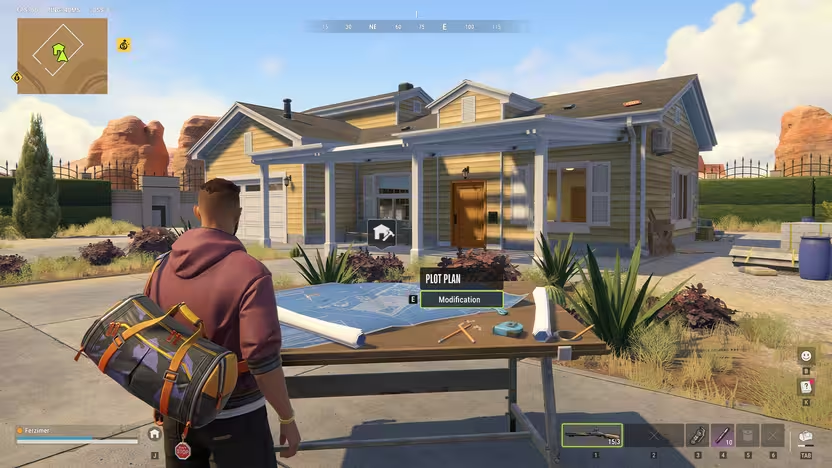
For plot eviction, the Eviction Right tooltip says to breach every Security System at the base and then apply the document to the Plot Plan. The November 6 client catalog lists a barter recipe for 50 Epic Decoders. Kefir’s earlier FAQ describes a loot-only item for a full base wipe without naming it, so check the Barter menu in your build before collecting all 50. For ordinary plot rental, see how to rent a plot. Wikily · Eviction Right · Kefir · Steam