
Use the ROB RUN world map for travel and a Looty Bay map for streets, buildings and loot routes. Banks, shops and houses make useful landmarks when you are planning a run. A dollar sign on the map in Looty Bay or the Sales Center marks the van where the Fence buys valuables.
Open an interactive map of Looty Bay
Open the Wikily map to find the bank and check nearby landmarks. For a sale, use the buyer layer for Fence locations or the Cargo Exchange layer for a cargo trip. Check the matching marker in your game before taking a loaded vehicle there, since the community map is a reference rather than an update from your State. Related guide · Open the interactive Looty Bay map · MetaForge · Fence · MetaForge · Cargo Exchange
Loot locations to check in Looty Bay
Use the central bank and the east and west jewellery stores as starting points when looking up larger jobs. Residential buildings and dumpsters are places to search for smaller hauls, while the dollar markers point to buyers. A location marker identifies the place to look, so verify locks and item prompts when you get there. For preparation and getaway choices, see the guide to where to rob. Wikily · Wikily · Bank · Kefir · Steam
Find a bank, a shop or a buyer by map layer
Open the city map to locate Looty Bay Bank or the east and west jewelry stores. Filter for buyers when taking valuables to a Fence, and select Cargo Exchange when hauling cargo. Compare the markers with the loot selling guide before choosing a stop. Wikily · MetaForge · Cargo Exchange
The November 11 ROB RUN Wiki guide marks four Fences and two Smuggler vans in Looty Bay. Those counts apply to the markers in that guide. Use the dollar-sign Fence marker for valuables and the Cargo Exchange filter for cargo, then confirm the buyer in your session. ROB RUN Wiki buyer markers · Cargo Exchange
Start with the right map
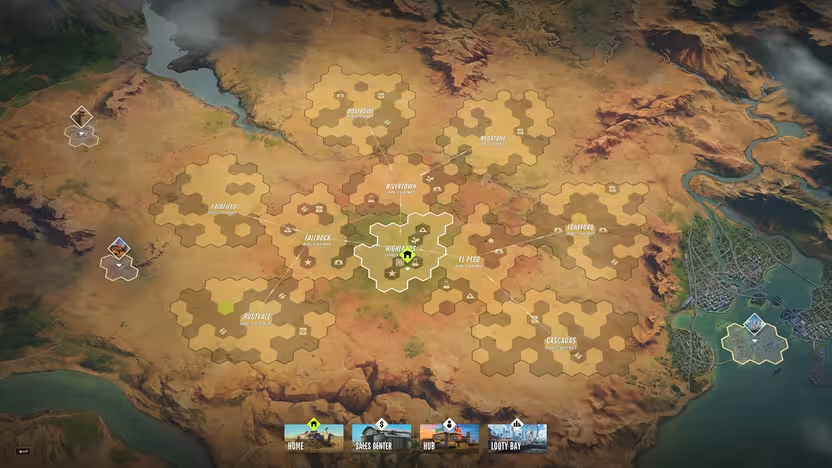
The world map helps you identify destinations such as settlements and the Prison. When looking for a specific door or building in Looty Bay, switch to a city map. The in-game image above shows settlements on the world map. For street-level landmarks, compare Wikily's Looty Bay map and MetaForge's city map, both maintained by the community.
Kefir uses the dollar sign to identify the Fence's van in Looty Bay or the Sales Center. Take valuables to the Fence and collect the cash from the counter before leaving. Remember the van's location before you start collecting loot.
Find loot by type of location
The community location index groups banks, houses, shops and hotels and shows possible loot for entries. For example, a solo run shows looting a shop and describes a ground-floor jewelry store. Another recording shows a valuable phone found during a residential run. Treat those as examples of what can turn up, and use the guide to Looty Bay robbery targets when choosing what to try. Location index · Solo shop run at 1:28 · Residential run at 7:38
No fixed drop is established by a community marker or a single run. Use the map to find the building and the location notes to see possible loot. Check the current game when planning around a particular item.
Mark a sale point and a way out
Before heading in, find the dollar-sign van and pick a street or exit you can reach with your loot. In a solo walkthrough the player uses the map to find the sale point and turns back toward the main map later in the run. Compare the safer ways to sell valuables when deciding whether to sell immediately. Kefir advises picking up the payout from the counter because loose cash can be stolen or confiscated. Kefir on selling loot · Map marker at 2:07
Check what a marker represents
A city marker describes a place, while a settlement layout describes the area around a base. Compare labels across the community maps if the name on the guide differs from what you see in your session. For travel with a friend on another server, Kefir specifically tells players to select Prison from the world map. Keep that global destination separate from local Looty Bay landmarks. Kefir on the world map and Prison